Data Management
This chapter covers direct database access, batch operations, and data audit for the solution's operational database. The Admin Center → Data Management sidebar group has 4 menus covered here.
Separate read vs. write privileges
The Data Management screens reach into the live operational database (PostgreSQL). Misuse can cause data loss. Grant general admins read-only access and reserve write access for a dedicated DB operator.
Accessing the Screen
Expand Admin Center → Data Management in the left sidebar to reveal 4 submenus.
Menu Structure
| Menu | View ID | Purpose |
|---|---|---|
| Database | admin-database |
Inspect operational DB connection info, browse tables, run ad-hoc SQL |
| DB Connection | admin-db-connection |
Manage profiles for external databases (analytics DBs, data warehouses, etc.) |
| Batch Jobs | admin-db-batch |
Schedule and run recurring / one-off batch jobs, view history |
| Data Audit Log | admin-db-audit |
Audit log of data changes (INSERT / UPDATE / DELETE) |
Key Screens
Database
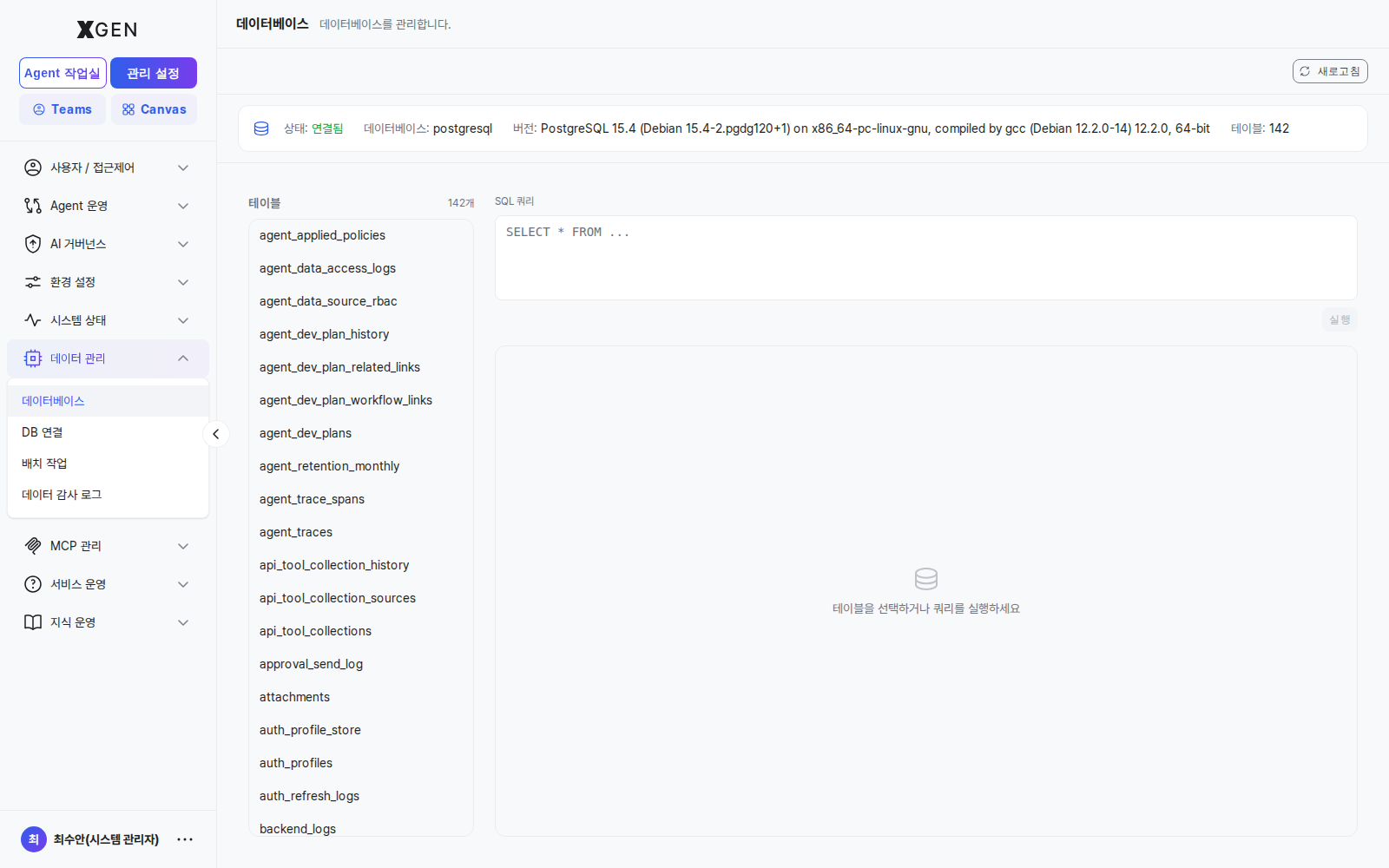
A one-glance view of the operational DB (e.g., PostgreSQL 15.4) and its 131 tables. Run ad-hoc SELECT queries from the right pane; clicking a table name on the left auto-fills SELECT * FROM <table>.
- Status indicator: Connected / Disconnected (health check result)
- DB name: actual database name (e.g.,
postgresql) - Version: full DB version string
- Tables: total table count
DB Connection
Register external-database connection profiles (e.g., BigQuery / Snowflake / a separate operational DB) used by data sources and tool nodes.
Batch Jobs
Schedule and monitor recurring tasks (ETL, metrics aggregation, log cleanup, etc.). One-off jobs are also supported.
Data Audit Log
Audit log of data changes (INSERT / UPDATE / DELETE / DDL) on the operational DB — who, when, which table, which row.
Operational Recommendations
- Read-only by default — Grant general admins
admin.data:readonly; reserveadmin.data:writefor the DB operations owner. - Prune unused DB connections quarterly — Remove unused external DB profiles each quarter.
- Alert on batch-job failure — Wire batch-job failures into System Monitor thresholds so they page on-call.
- Retain data audit logs — Financial sector typically requires ≥ 5 years. Define an automated archival / cold-storage policy past retention.
Related Chapters
- System Monitor — DB performance and disk usage monitoring
Contact
For questions on the Data Management screens, please contact the Xgen Solution Administrator.