Embedding & Vector Search Settings
This chapter covers the embedding model, reranker, and vector database settings — the core of knowledge search.
Components
Knowledge search relies on three components working together.
| Component | Korean | Role |
|---|---|---|
| Embedding Model | 임베딩 모델 | Convert documents and queries into vectors |
| Vector Database | 벡터 데이터베이스 | Store vectors and perform similarity search |
| Reranker | 리랭커 | Re-rank initial retrieval results with finer precision |
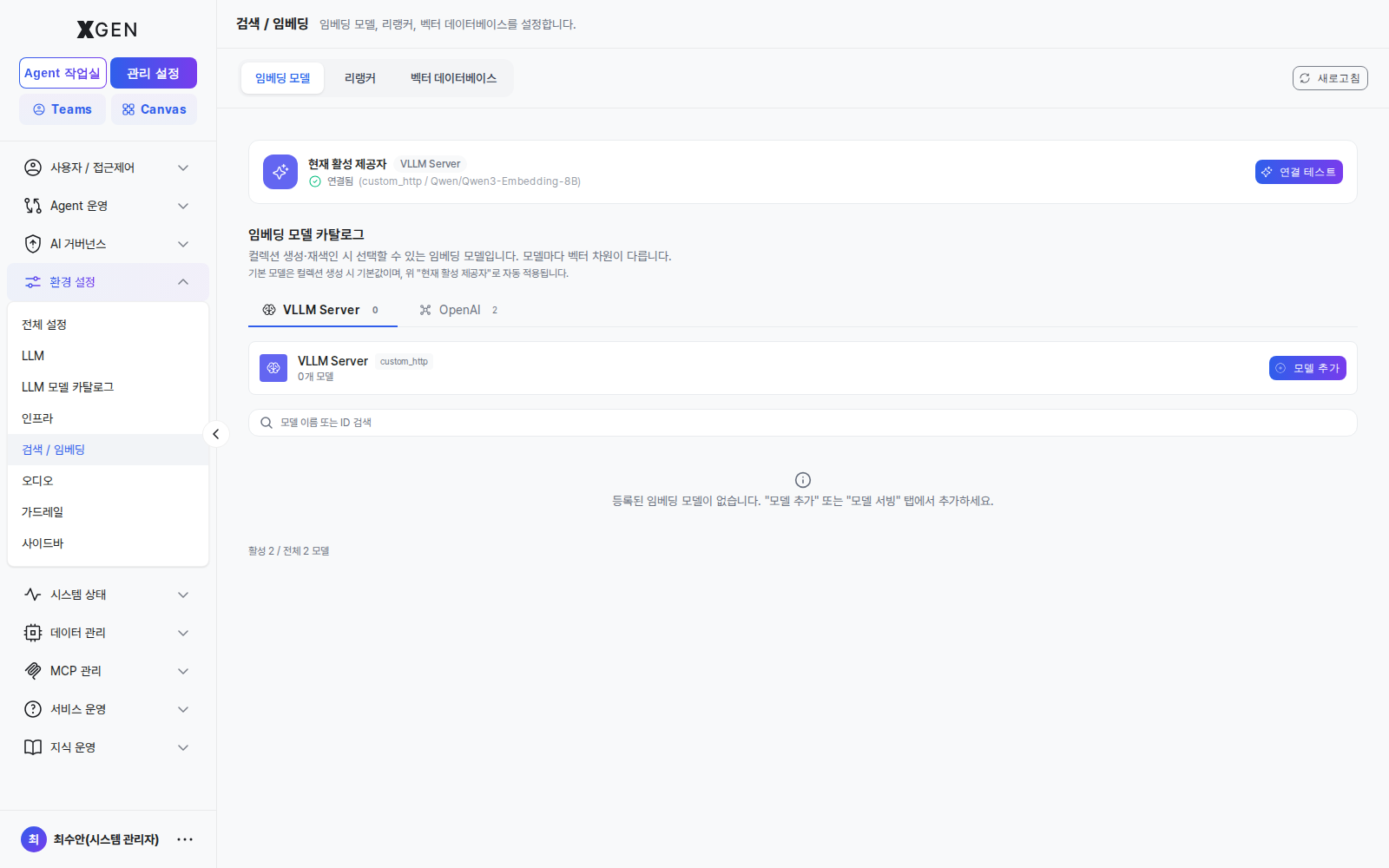
Registering an Embedding Model
Select Admin → Environment → Search / Embedding in the left sidebar, then switch to the Embedding Model tab.
- Click + Add Model
- Enter:
- Model name
- Provider (OpenAI / vLLM, etc.)
- Model identifier (e.g.,
text-embedding-3-large, internal model name) - Dimension — the vector dimensionality output by the model (e.g., 1536)
- Click Test Connection → confirm an actual embedding call succeeds
- Save
Re-embedding Required When Changing Dimension
If you switch to a model with a different dimension than an already-embedded collection, the existing vectors cannot be used. The whole collection must be re-embedded (consumes time and cost).
Registering a Reranker
A reranker re-orders initial retrieval results (e.g., top 50) for higher accuracy. Effective for accuracy improvements but increases response latency.
- Reranker tab → + Add Reranker
- Enter model name, provider, identifier
- Test Connection → Save
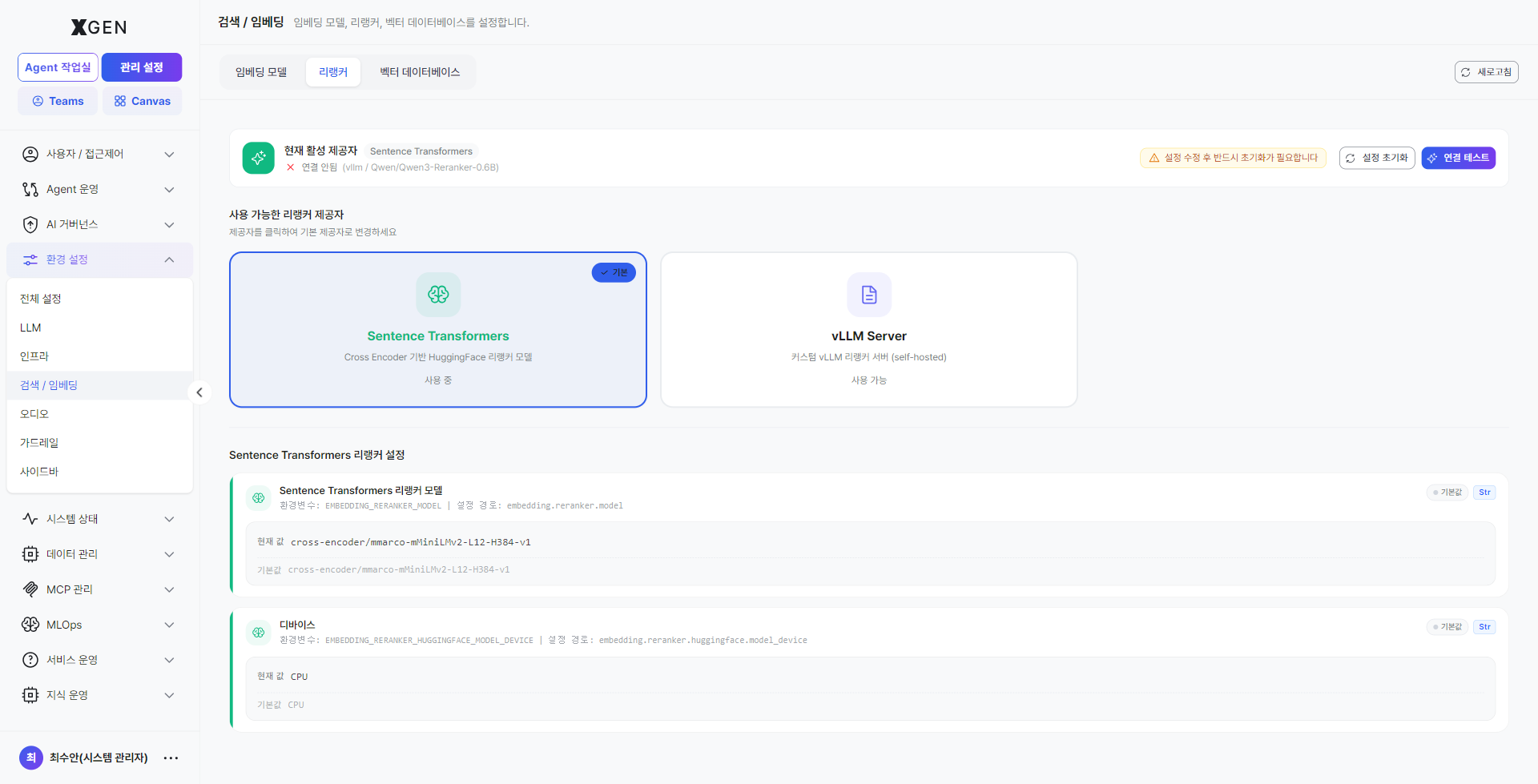
The reranker is optional. Whether to use it and the threshold are configured per-collection or per-agentflow.
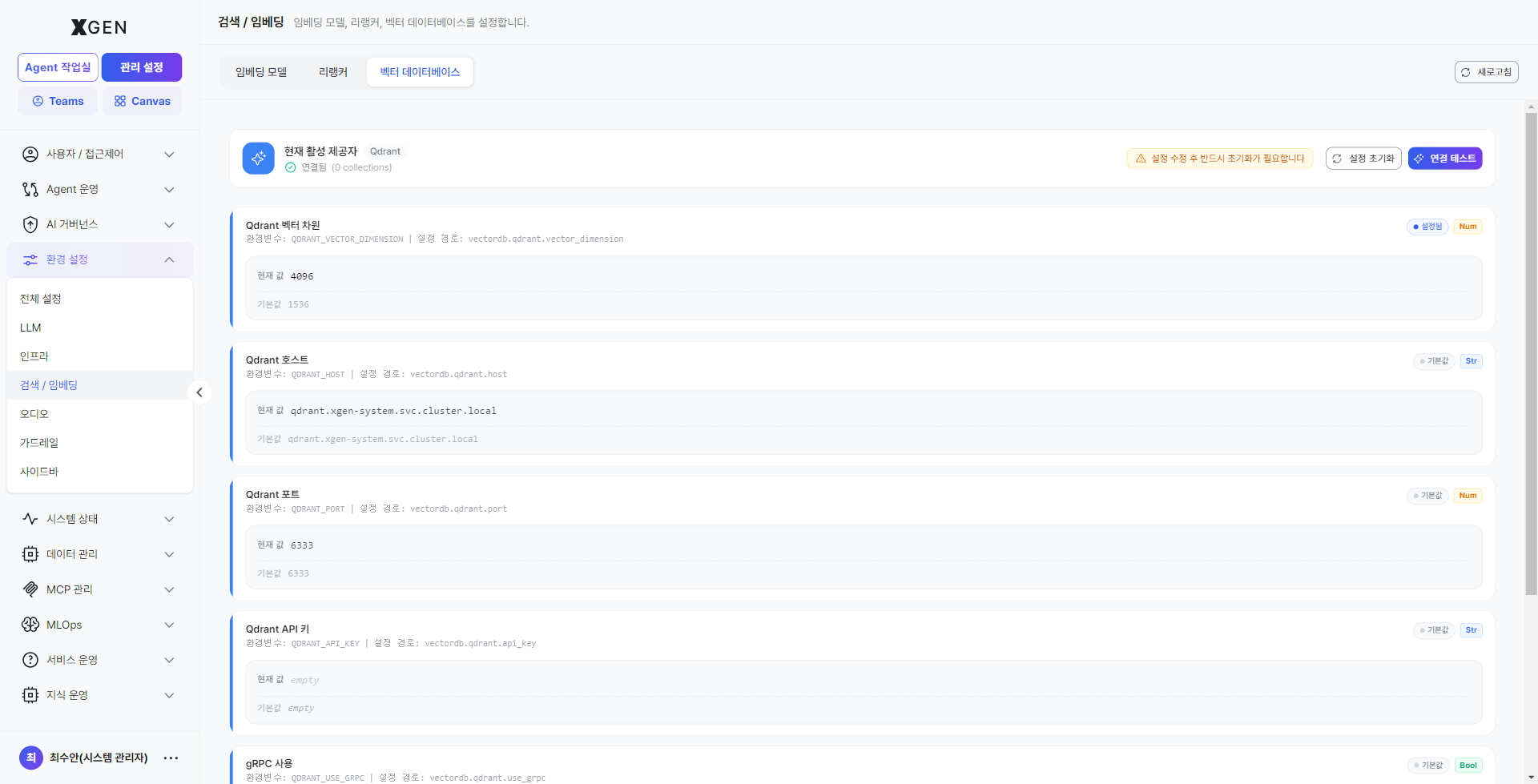
Connecting a Vector Database
The default supported engine is Qdrant.
- Vector Database tab → Connection Settings
- Enter:
- Host: e.g.,
qdrant.internal.example.com - Port: default
6333(HTTP),6334(gRPC) - API key (if authentication is enabled)
- Host: e.g.,
- Test Connection → Save
Disk Monitoring
The vector database consumes disk quickly as collections grow. Periodically check disk usage in System Monitor and configure threshold alerts.
Operational Checks
| Item | Frequency | Method |
|---|---|---|
| Vector DB disk usage | Weekly | System Monitor |
| Embedding call failure rate | Weekly | Audit log or LLM provider console |
| Reranker response time | Monthly | Chat response time stats |
| Similarity search quality | Quarterly | Sample query result review |
Contact
For questions about embedding and vector search, please contact the Xgen Solution Administrator.