Using Pathfinder
This chapter covers how to install, connect, and use the Chrome browser extension Pathfinder (XGEN Pathfinder). Pathfinder is an assistant that helps you build AI agent workflows on the XGEN canvas. Through conversation alone, it finds the nodes you need and assembles them on the canvas, integrates external services as tools, and even handles page actions and real-time guidance.
A helper tool for building agents
Pathfinder is not a menu inside the XGEN screen — it is a browser extension installed separately in Chrome. It works while you are logged in to XGEN and helps you carry out Creating an Agent faster.
What Pathfinder can do
Pathfinder helps you with the following.
Build workflows
- Create agents by chatting — Say something like "build a Google News search agent" and Pathfinder finds the needed nodes and assembles them on the canvas.
- Add, connect, delete nodes — Place and connect nodes on the canvas to complete a workflow.
- Set parameters — Adjust the configuration values of each node.
Integrate tools
- Connect external services — Register features you use on a website as XGEN tools.
- Auto-detect APIs — Analyze actions such as button clicks on external sites and turn them into tools.
Operate the page
- Navigate menus — Guide you to the page you want.
- Click buttons, enter input — Perform UI actions on your behalf.
Real-time support
- Context-aware suggestions — Offer help suited to the task you are currently working on.
- Answer questions — Guide you on how to use XGEN or design workflows.
1. Download and prepare the Pathfinder plugin
Purpose — prepare the files needed to install the Pathfinder plugin.
- Download the provided Pathfinder archive file (.zip).
- Extract the archive into a folder — extraction is required.
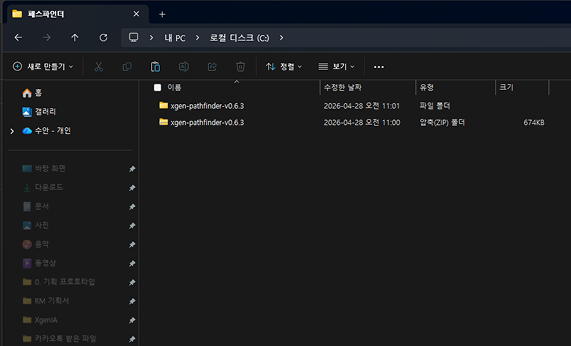
Notes on extraction
- The plugin cannot be installed while still in the compressed (.zip) state — you must extract it into a folder.
- The extracted folder must contain a
manifest.jsonfile for the installation to work correctly.
2. Add it to Chrome extensions
Purpose — add Pathfinder to the browser and connect it to XGEN.
-
Enter the following in the Chrome address bar to open the extensions management page.
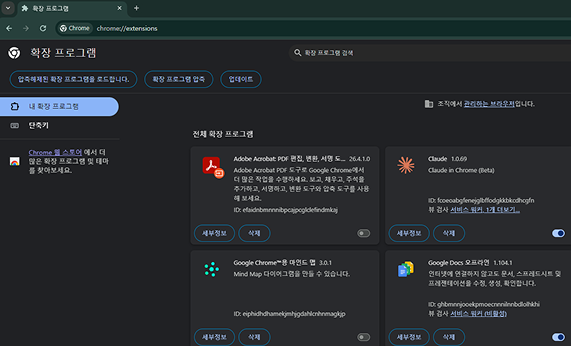
-
Turn on Developer mode in the top-right corner.
-
Click Load unpacked.
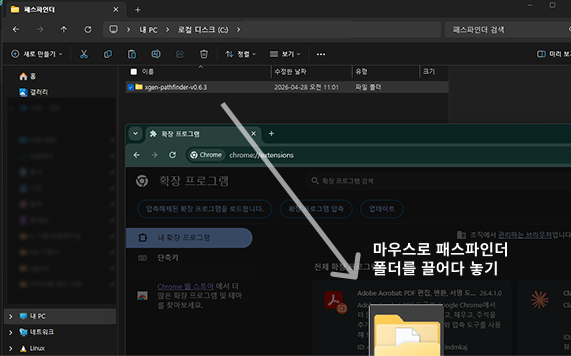
-
Select the folder you extracted in step 1.
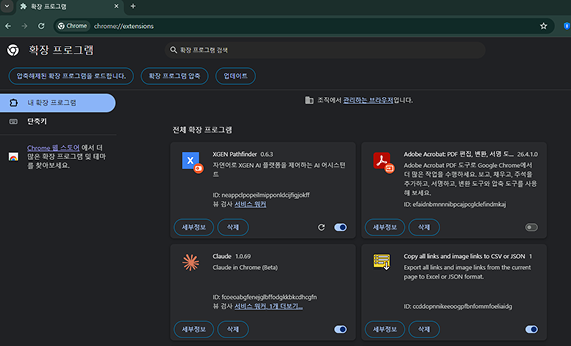
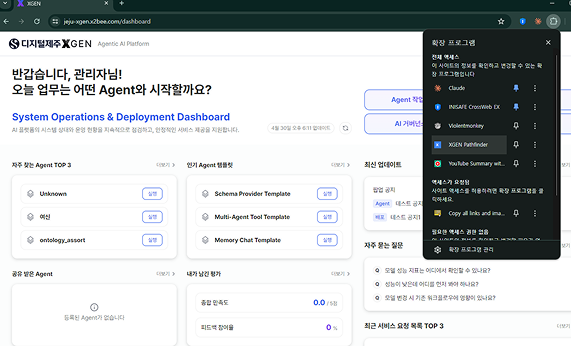
When the installation completes, "XGEN Pathfinder" appears in the extensions list. Once it is listed, the installation was successful.
Common errors
- Selecting a zip file instead of a folder causes the installation to fail — make sure you extracted it into a folder in step 1.
- If Developer mode is off, the Load unpacked button is not shown.
3. Run Pathfinder and connect to XGEN
Purpose — connect to the XGEN platform through the extension.
- Click the extensions icon (puzzle shape) in the top-right of Chrome.
- Select XGEN Pathfinder from the list.
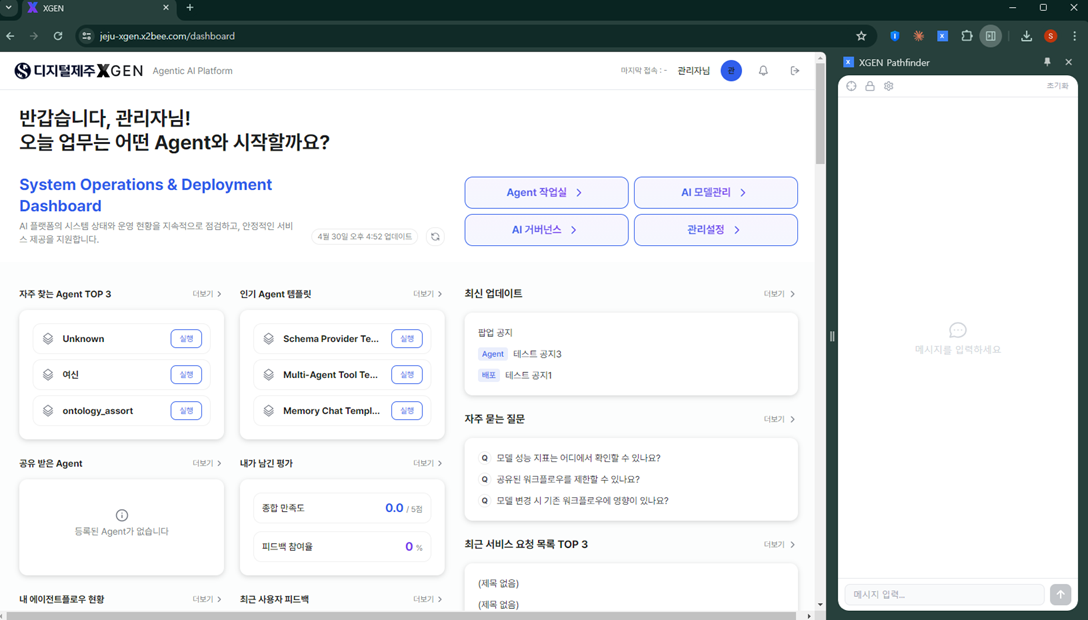
- Move to the XGEN screen, and the connection is confirmed automatically.
Signs it is working
- A side panel or popup UI activates on the right side of the screen.
- "Agent creation / recommendation" features are shown.
4. How to use Pathfinder
Purpose — quickly create an AI agent that automates your work.
Tell Pathfinder the task you want to build through conversation, and it finds the needed nodes and assembles them into a workflow (Flow) on the canvas. The resulting agent is represented visually on the canvas as nodes and connections.
Steps
- Answer the "What kind of Agent would you like to build?" prompt with the task you want.
- Select a recommended template and proceed with creation.
The video below shows the full flow — entering a task in Pathfinder, creating an API, and creating the agent.
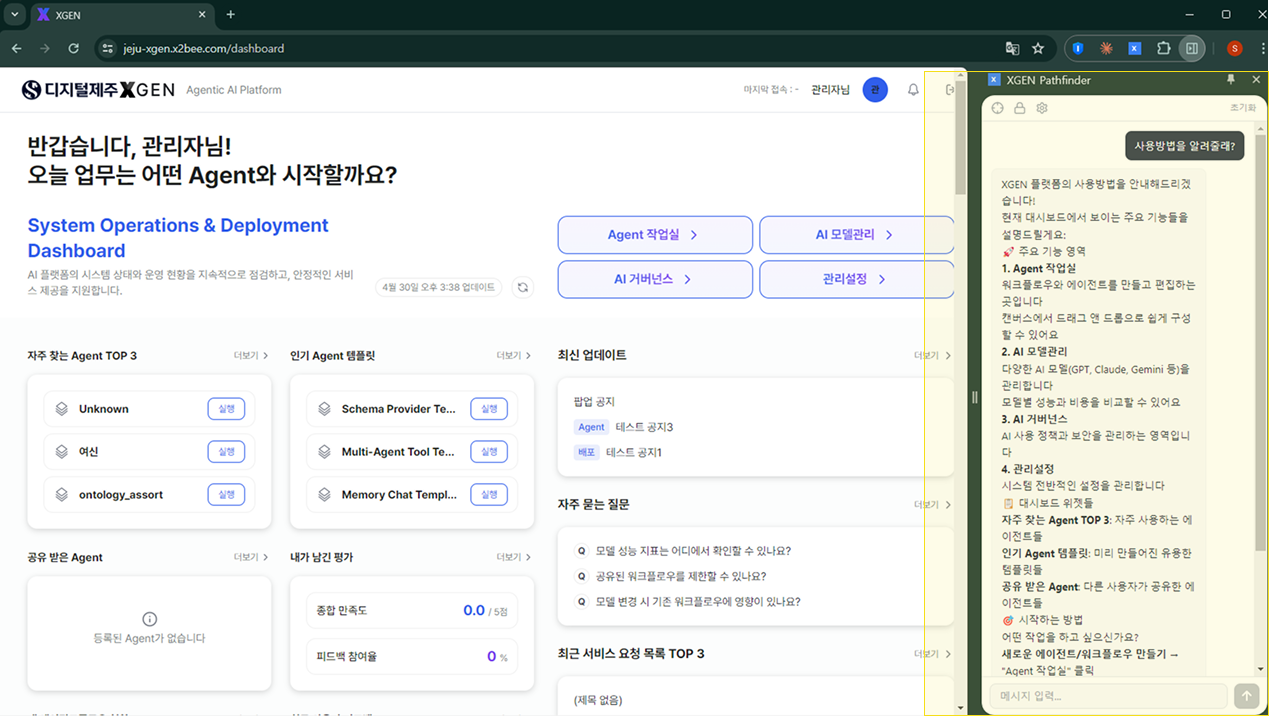
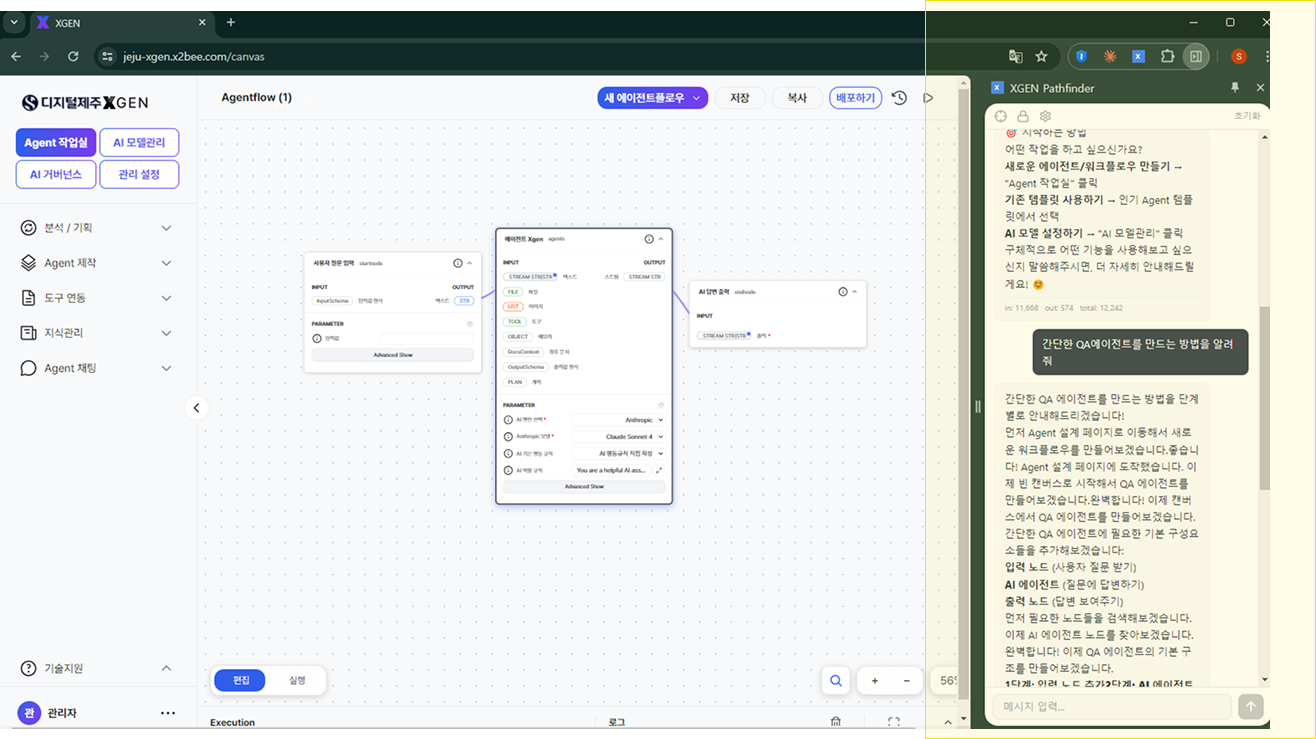
For detailed editing and node composition of the created agent, see the Creating an Agent chapter.
5. Troubleshooting guide
| Symptom | Check / action |
|---|---|
| The extension is not visible | Restart Chrome, or check that the extension is pinned. |
| It will not connect to XGEN | Check that you are logged in to XGEN and refresh the page. |
| An agent cannot be created | Check your account permissions or network status. |
Operating recommendations
- Pathfinder is a tool that assists with building agents. After creation, we recommend reviewing and reinforcing the flow with the Creating an Agent and Agent Node List chapters.
- The extension only works in the browser where it was installed. To use it on another PC or browser, install it again using the same steps.
Contact
For questions about Pathfinder, please contact your Xgen solution administrator.